 Tock Todo
A to-do list that taps you on the shoulder.
Tock is a small alarm clock who sits in the corner of your Mac, on top of everything. Click him to add and check off tasks. When something is due, he rings his bells and shows you.
Type it the way you say it
Quick add reads dates, times, repeats, groups and tags as you type, and shows what it understood before you press Return.
| call mom tomorrow 3pm | Tomorrow, 3 PM |
| stretch in 20 minutes | 20 minutes from now |
| vitamins every day at 8am | Daily, 8 AM |
| standup every weekday at 9:30 | Monday to Friday, 9:30 AM |
| pay rent on the 1st every month | Monthly on the 1st |
| buy milk @errands #store | In the Errands group, tagged "store" |
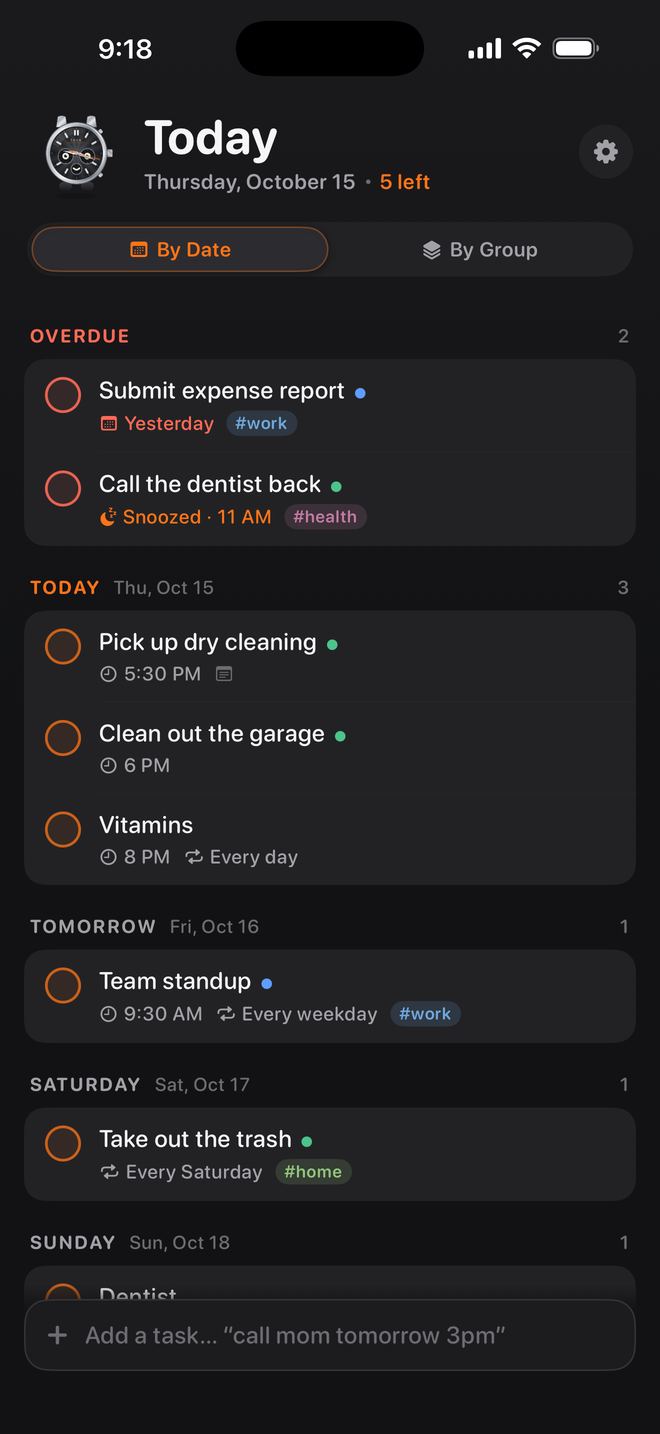
Reminders you notice
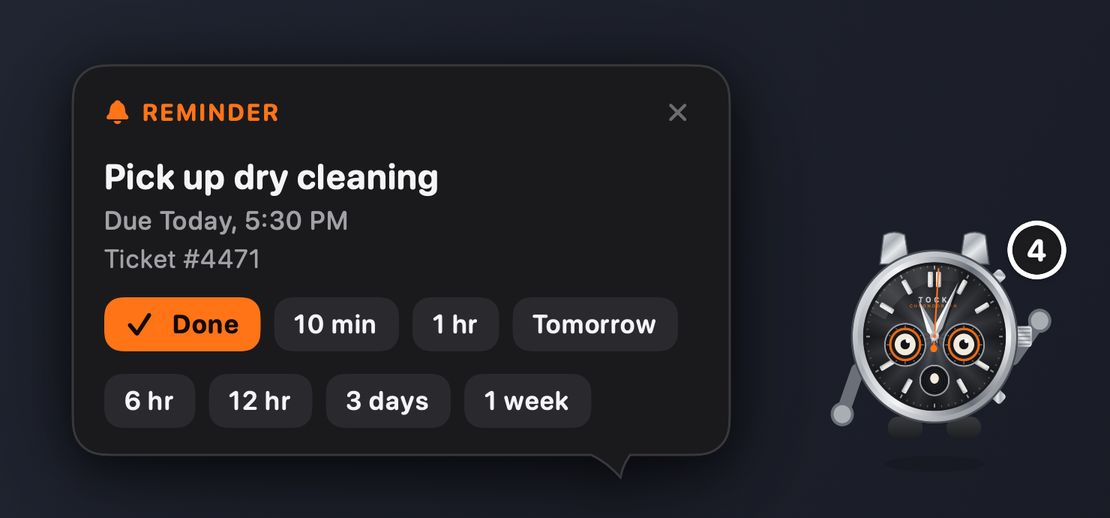
On the Mac, Tock shows the reminder himself. Notifications cover you when he is hidden.
Mark it done, snooze it (10 minutes, 1 hour, 6 or 12 hours, 3 days or a week), or move it to tomorrow morning. The same buttons are on the notification on every device. If your Mac was asleep, Tock gives you one calm summary of what you missed.
Groups and order
Put tasks in groups like Work and Home, view them by date or by group, drag to reorder or reschedule, and undo any change.
Everywhere you are
Optional iCloud sync keeps your Mac, iPhone and Apple Watch in step, using your own private iCloud storage. iPhone widgets and watch complications show what is next.
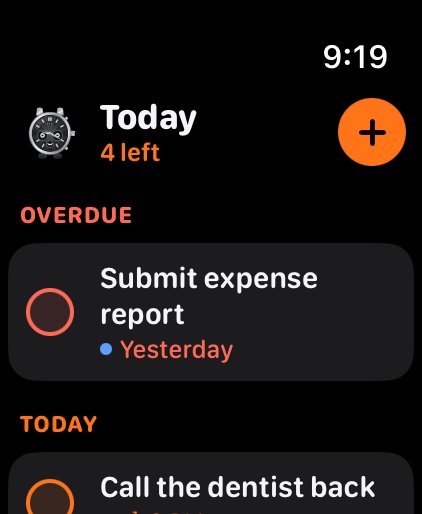
On your wrist
The Apple Watch app shows what is overdue and due today. Tap to finish a task, snooze it, or add a new one by voice: "call mom tomorrow at 3 p.m."